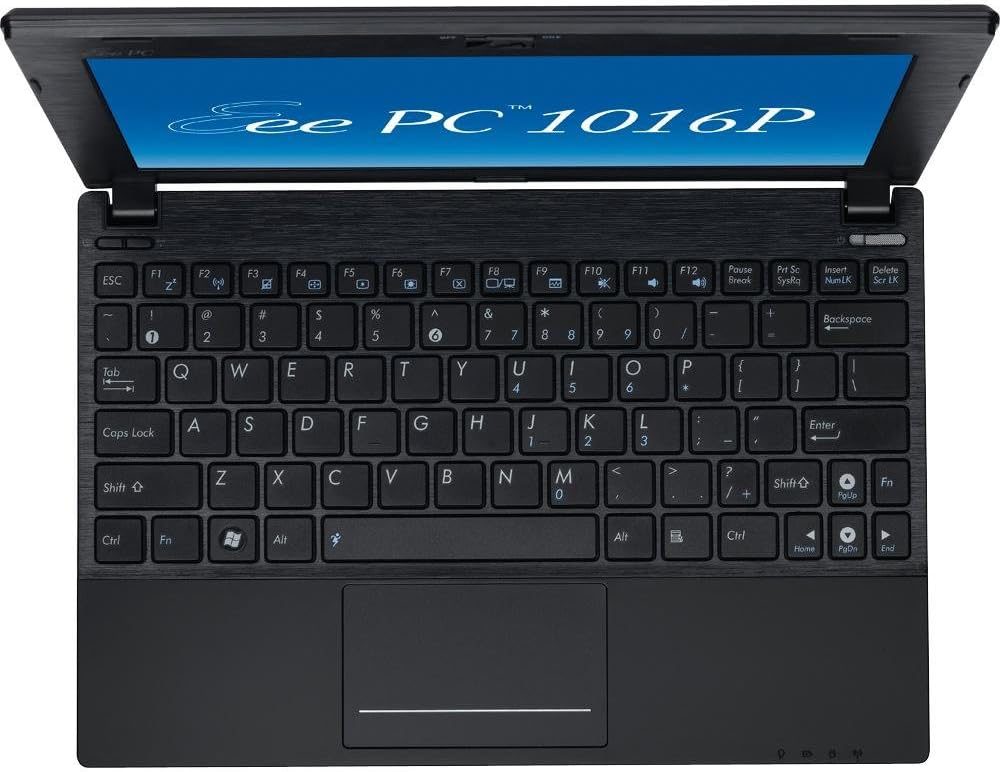
The premise is simple. I had a 2010 ASUS EeePC 1016P on the bench an Intel Atom N455 netbook - and one question: in 2026, can this thing still be a useful computer, or is it a parts donor?
So I did the unreasonable thing. Eleven operating systems, one netbook, real bench testing. Not "does it boot" anyone can boot a live USB. The question was whether the machine actually felt usable: does music play, do pages load at a speed you'd tolerate, do the apps you'd actually open survive once you're past the desktop?
Getting to a desktop was never the hard part. Here's everything that ran, everything that crashed, and the honest call on whether this netbook is worth saving.
The hardware
| Component | Spec |
|---|---|
| Model | ASUS EeePC 1016P |
| CPU | Intel Atom N455 - 1 core / 2 threads @ 1.66 GHz, 32-bit |
| RAM | 2 GB DDR3 (the platform's max) |
| Storage | 128 GB 2.5" SATA SSD |
| Graphics | Intel GMA 3150 (integrated) |
| Wi-Fi | 802.11n |
Two things decide this entire story, so I'll put them up front:
- The N455 is a single-core, 32-bit CPU, soldered to the board. You cannot fix the one part that matters most.
- My unit already had the only two upgrades worth doing a 2.5" SATA SSD and the platform-max 2 GB of DDR3. Hold that thought for the verdict.
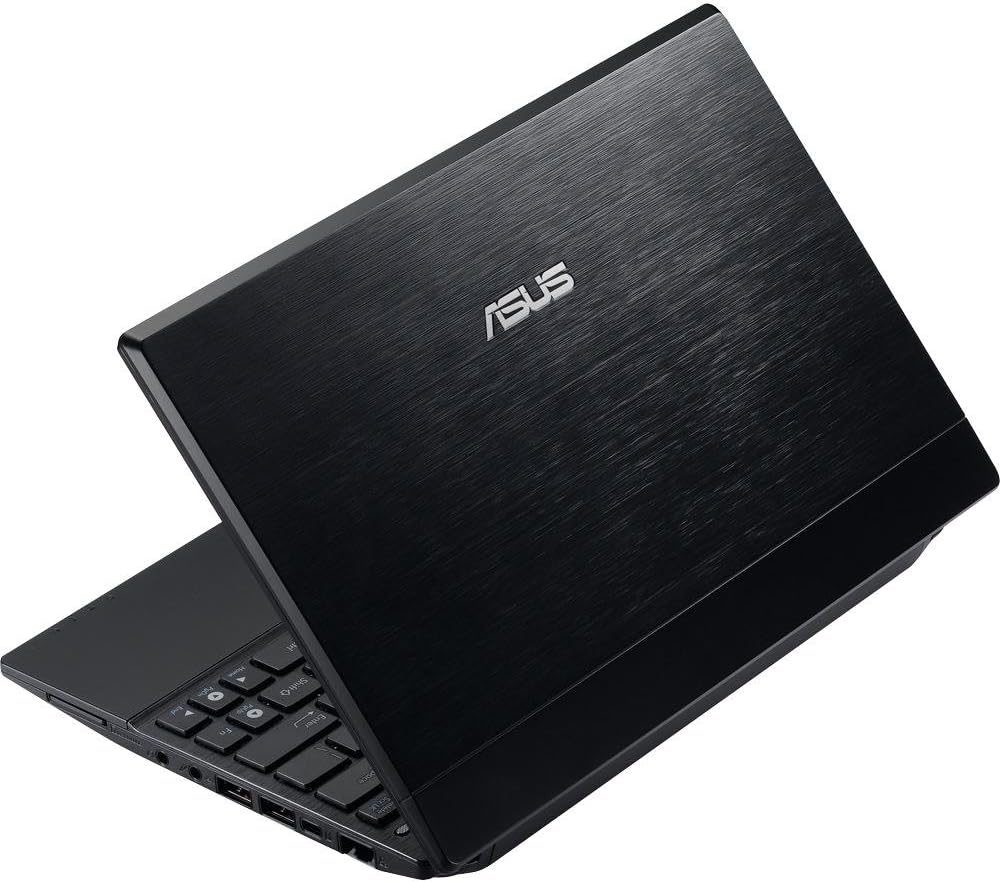
The photos below are the actual bench unit: top-down, both I/O sides, and the back.
How I tested it
No synthetic benchmarks. This was about whether the machine felt usable in real life, so every OS got a clean install to the SSD and then the same practical questions:
- Does it install clean and come up with a stable desktop?
- Do real apps launch and keep running a browser, a music app, a chat app, a media player?
- Where do modern apps and browsers hit a wall streaming, DRM, video resolution?
- Which builds simply exceed the N455's single core and fall over?
- Do the laptop-specific bits work keyboard shortcuts, volume keys, Wi-Fi?
A build "passed" only if it installed cleanly, stayed stable, launched apps reliably, played at least basic media, and handled the hardware. Booting to a wallpaper doesn't count.
Linux: closest to modern, still capped
Every Linux distro I tried ran into the same two walls: no 32-bit Widevine DRM (so Spotify and browser Netflix are dead), and a single-core CPU that modern browsers and YouTube simply bury.
| Distro | Verdict | Best for |
|---|---|---|
| Linux Mint 19.3 XFCE (32-bit) | Most modern-feeling desktop; heaviest on the CPU | A familiar layout you already know |
| MX Linux | Most responsive of the bunch; looks dated | Light daily driving |
| antiX | Best hardware fit on this machine | Low-resource, terminal-leaning use |
| Kali (i386 archive) | Narrow use case | Network and terminal tools |
| Puppy / Lubuntu | Tiny footprint, still CPU-bound | Documents and light tasks only |
The pattern never changed. Puppy and Lubuntu prove the point best: they use almost no RAM, and it doesn't matter a lightweight distro frees up memory, but it can't hand you a second CPU core. Mint looked the most current; MX felt the quickest; antiX fit the hardware best. All four capped out at 240p video and a browser that fought you. Spotify never played on any of them, because there is no 32-bit Widevine.
Android-x86: the actual winner
The best practical result on this netbook wasn't Linux at all. It was Android-x86 7.1 R5, clean-installed.
Two things mattered:
- Fresh install only. Upgrading in place from the old 4.0 R2 EeePC build corrupted the install every time. Starting clean from the 7.1 R5 ISO was the only approach that held.
- Smart Dock from F-Droid. Android's default tablet UI is wrong for a laptop. Smart Dock drops a desktop-style taskbar on it and turns the thing into something you can actually drive with a trackpad.
Once it was set up, it was genuinely usable:
| App | Status |
|---|---|
| Spotify | Works - the Android app sidesteps the Widevine wall |
| Discord | Works |
| ChatGPT | Works |
| VLC | Works |
| RetroArch | Works |
| FX File Manager | Works |
| Chrome | Limited - 240p YouTube, and no update path |
| YouTube app · Netflix · Plex · current Chrome | Crash / unsupported API |
That's the surprise of the whole project: the 2010 netbook's best modern life is as an Android machine, not a Linux one.
What failed and why it isn't the RAM
The Android forks built for desktop use Bliss OS, PrimeOS, and Phoenix OS all failed the same way. Bliss crashed repeatedly during setup and never stabilized enough to test. PrimeOS and Phoenix crashed before any real app testing.
Here's the part people get wrong: the bottleneck was processing power, not RAM or storage. These forks assume multi-core x86 hardware. Drop them on a single-core N455 and they fall over before you reach a home screen. Adding memory wouldn't have saved them there was no second core for them to use.
The walls
Four hard limits shaped every result:
- Single-core N455. One core at 1.66 GHz. Every browser tab, video decode, and background task fights for the same lane. This is the ceiling everything else runs into.
- 32-bit Widevine DRM. There's no 32-bit Widevine, so Spotify and Netflix won't play in a browser on any 32-bit Linux build. Android-x86 is the only way around it.
- 240p video cap. In Chrome on the best build, 240p was the practical maximum. Anything higher stalled.
- Dead APIs. Netflix, Plex, the YouTube app, and current Chrome crashed on old API versions. The EeePC-specific Android 4.0 build had proper Fn-key support but was too far behind on browsers and app APIs to use.
The fixer verdict
Here's the honest call, because that's the whole point of this site.
Why the N455 is the ceiling. Every failure above traces back to one part you can't replace. Single-core means there's no second lane modern software assumes at least two, and this chip has one. 32-bit means no Widevine and a shrinking pile of software that even ships a compatible build. And it's soldered - there is no CPU upgrade for this machine. So no amount of distro-hopping or tuning gets you past 240p video or a browser that feels like wet cement. That isn't a software problem you can fix; it's the physics of the chip.
What's worth spending money on and what isn't. If your 1016P is still on its original spinning hard drive, exactly one upgrade is worth doing: a cheap 2.5" SATA SSD. It's the single biggest quality-of-life change on old hardware boots and app launches stop being painful. If your unit is under the 2 GB max, a 2 GB DDR3 SO-DIMM gets you to the platform ceiling. A USB-to-SATA adapter makes imaging the drive or doing the SSD swap trivial, and if the internal Wi-Fi is flaky a USB Wi-Fi dongle is a good fix. That's the whole list. Do not spend on anything else the CPU is the wall, and you can't buy your way past it.
As an Amazon Associate I earn from qualifying purchases. These picks fund the bench and never change the verdict see the full disclosure.
The honest call: is it worth saving? Yes as a single-purpose machine, not a daily driver. Loaded with Android-x86 7.1 R5, this is a great little music box (Spotify runs clean), a perfectly good RetroArch emulation deck with a hinge, a locked-down first computer for a kid, or a wall-mounted kiosk/dashboard. What it is not, on any OS, is a modern web-and-streaming laptop the single core won't carry it.
So: if it powers on and you've got one of those jobs for it, save it and put it to work. If it needs a new screen, a board repair, or any real money to run again, it's a parts donor the N455 ceiling isn't worth a repair bill. Save it, or strip it for the SSD, RAM, and screen. Either way, it stays out of the landfill.
Shopping for old hardware like this? Run it through the same lens first our used-hardware buying checklist is built to catch the stuff that turns a cheap find into a paperweight.
ISO links & resources
Everything I tested, with the exact images I used.
Linux
- Linux Mint 19.3 XFCE 32-bit - the most modern-feeling 32-bit desktop.
- Kali Linux i386 archive terminal and network tools on old x86.
- MX Linux - responsive here, if visually dated.
- antiX - good hardware support on the EeePC.
- Puppy Linux tiny footprint, worth a look on Atom.
- Lubuntu 18.04 legacy release for low-spec machines.
Android-x86
- Android-x86 7.1 R5 the best practical result. (release notes)
- Android-x86 4.0 R2 (EeePC build) working Fn keys, but too outdated for real use.
- Android-x86 main project
- Bliss OS · PrimeOS · Phoenix OS - all too heavy for the N455.